Tutorial 15 of 22
Color Atlas: inspect colors, OKLCH palettes and patterns
Intermediate 8 min
Convert any CSS color, compare it with your palette, build OKLCH tint scales and turn the palette into a wallpaper-group pattern in Palette Studio.
Open the Color Atlas
Open Palette Studio from Lumina's editing rail or the Tools panel, then choose Color Atlas in the toolbar. The atlas opens on top of your collection with three tabs: Inspect a color, OKLCH palette and Wallpaper pattern. Move between the tabs with the arrow keys, Home and End. The atlas remembers the last tab and your OKLCH and pattern settings in this browser; the colors always come from the active palette group.
Inspect any CSS color
Inspect a color starts with the selected swatch. Type any CSS color into CSS color — a HEX code, a name such as rebeccapurple, or rgb(), hsl(), hwb(), lab(), lch(), oklab(), oklch() or color(display-p3 …) — and press Enter or Show color.
The table lists the color in every CSS space, ready to paste. Below the swatch, Lumina says whether the color fits inside the sRGB and Display P3 gamuts. A vivid value such as oklch(0.7 0.25 145) is outside sRGB: the atlas shows the HEX that CSS gamut mapping produces (#00C30B) and compares it with plain clipping. The contrast line gives the WCAG ratio against white and black.
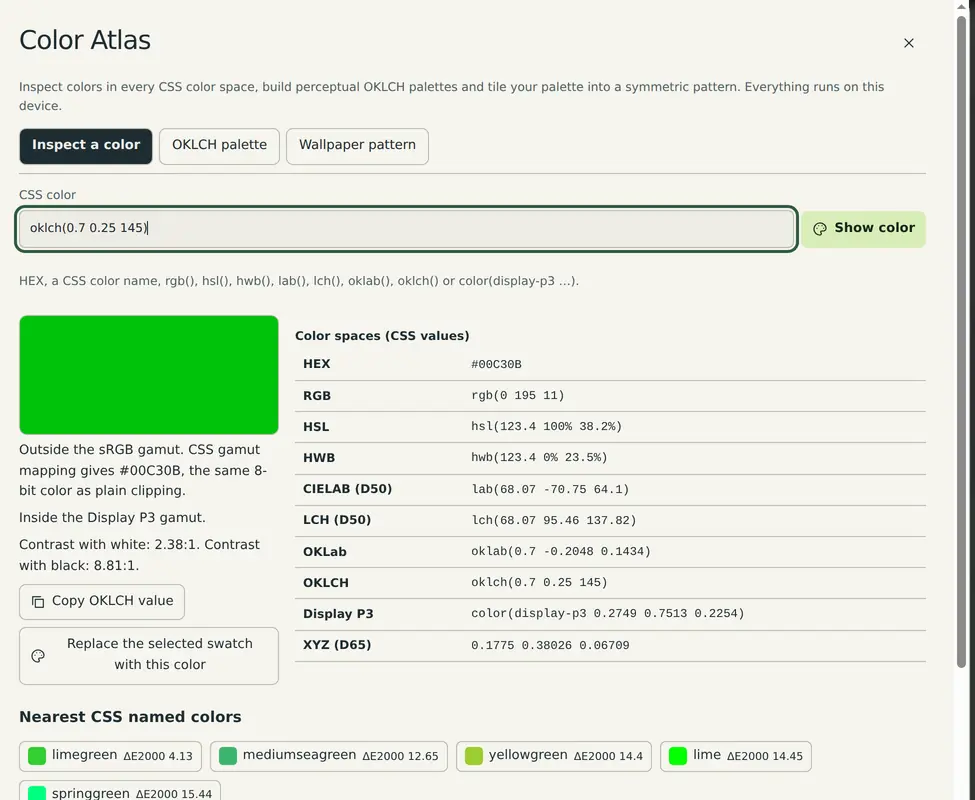
Nearest CSS named colors ranks the 148 CSS names by CIEDE2000; below about 1 the name is a true match. Difference to the active palette shows how far each swatch is from the inspected color. Replace the selected swatch with this color writes the mapped HEX into your palette as one undoable change, and Copy OKLCH value copies the oklch() text.
Build an OKLCH scale or harmony
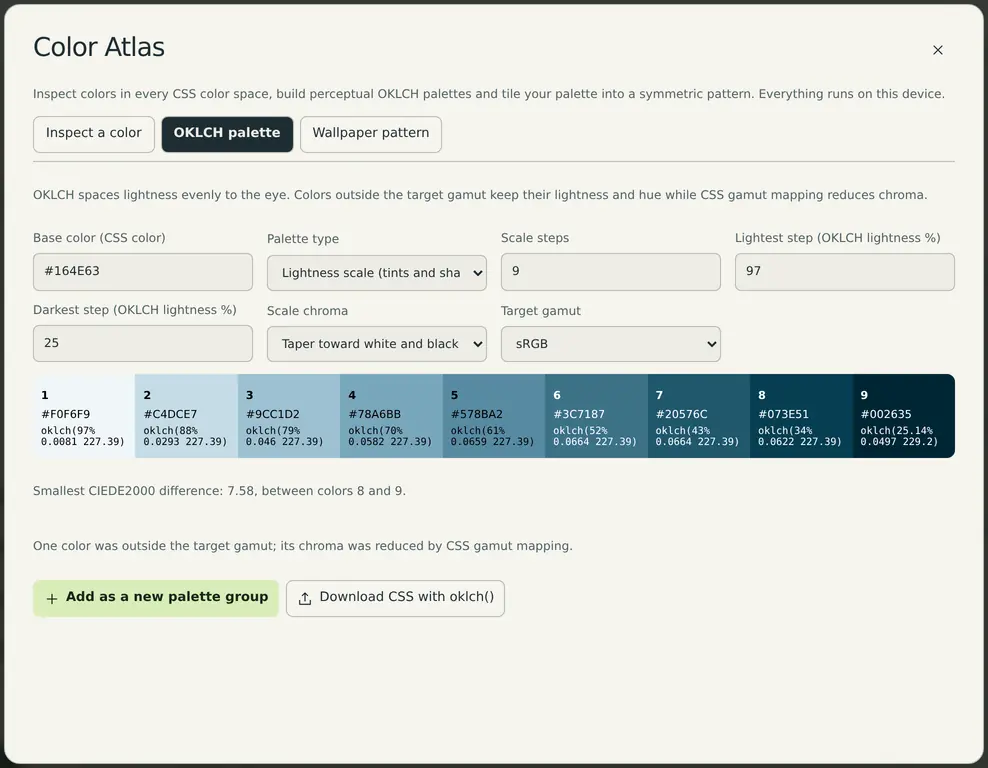
On OKLCH palette, the Base color (CSS color) again starts at the selected swatch. With Palette type set to Lightness scale (tints and shades), choose Scale steps, Lightest step (OKLCH lightness %) and Darkest step (OKLCH lightness %). Scale chroma decides whether color fades toward white and black (Taper toward white and black) or stays constant. Switch to Hue harmony for analogous, complementary, split, triadic, tetradic or square colors at the same lightness.
Each swatch shows its HEX and oklch() value. The notes below report the smallest CIEDE2000 step and how many colors lost chroma to gamut mapping; set Target gamut to Display P3 for wide-gamut screens. Add as a new palette group adds the colors as a group you can lock, sort and export (Undo removes it). Download CSS with oklch() saves custom properties with HEX fallbacks.
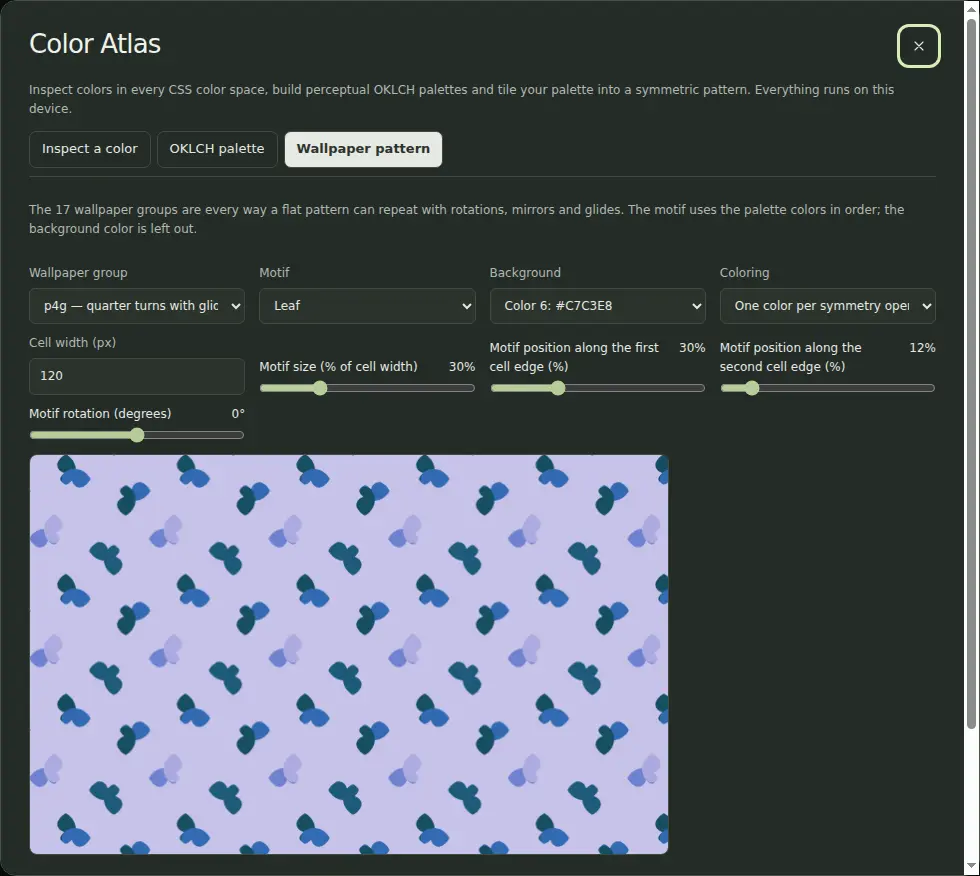
Tile the palette into a pattern
Wallpaper pattern repeats one motif with one of the 17 wallpaper groups, from p1 — translations only to p6m — hexagonal with mirrors. Choose the Motif, a Background color from the palette (or Transparent), and Coloring: One color per symmetry operation cycles through the remaining palette colors, First color only shows the bare symmetry. Adjust Cell width (px), Motif size (% of cell width), the two position sliders and Motif rotation (degrees) until the copies interlock.
The line under the preview reports the symmetry operations per cell, the motif copies in one repeat tile and the tile size. Repeat tile SVG downloads the seamless tile, CSS background a ready background-image rule, and Preview SVG the larger pattern. Hexagonal groups have a tile height of width × √3; the atlas warns that a scaled CSS background may show hairline seams there.
Check color vision
Color-vision preview in the Palette Studio toolbar now offers Simulation severity (%) from 10 % to 100 % and a Confusion threshold (ΔE2000). Under Colors that may be confused, Lumina lists every pair that falls below the threshold for protan, deutan or tritan vision, plus pairs that are already too close for typical vision. With a photo open in the editor, Simulate the current photo renders it with the chosen simulation; Download simulated PNG saves the result.
The same engines run the standalone tools Color Converter, Delta E Color Difference, OKLCH Palette, Color Blindness Palette Simulator and Wallpaper Group Pattern Maker, so app and API results match.
Ready to try it?